Understanding the Problem
Parents and students struggle with uncertainty when it comes to school transportation. Where is the school bus? Is it running late? Can parents coordinate carpools without endless group chats? We set out to design a solution that provides clarity, security, and convenience for families.
Service
UX design, Mobile App Design, Website Design, Design system
Sector
Transportation
Duration
6 weeks
A Glimpse into the Solution
We envisioned a simple yet powerful app that:
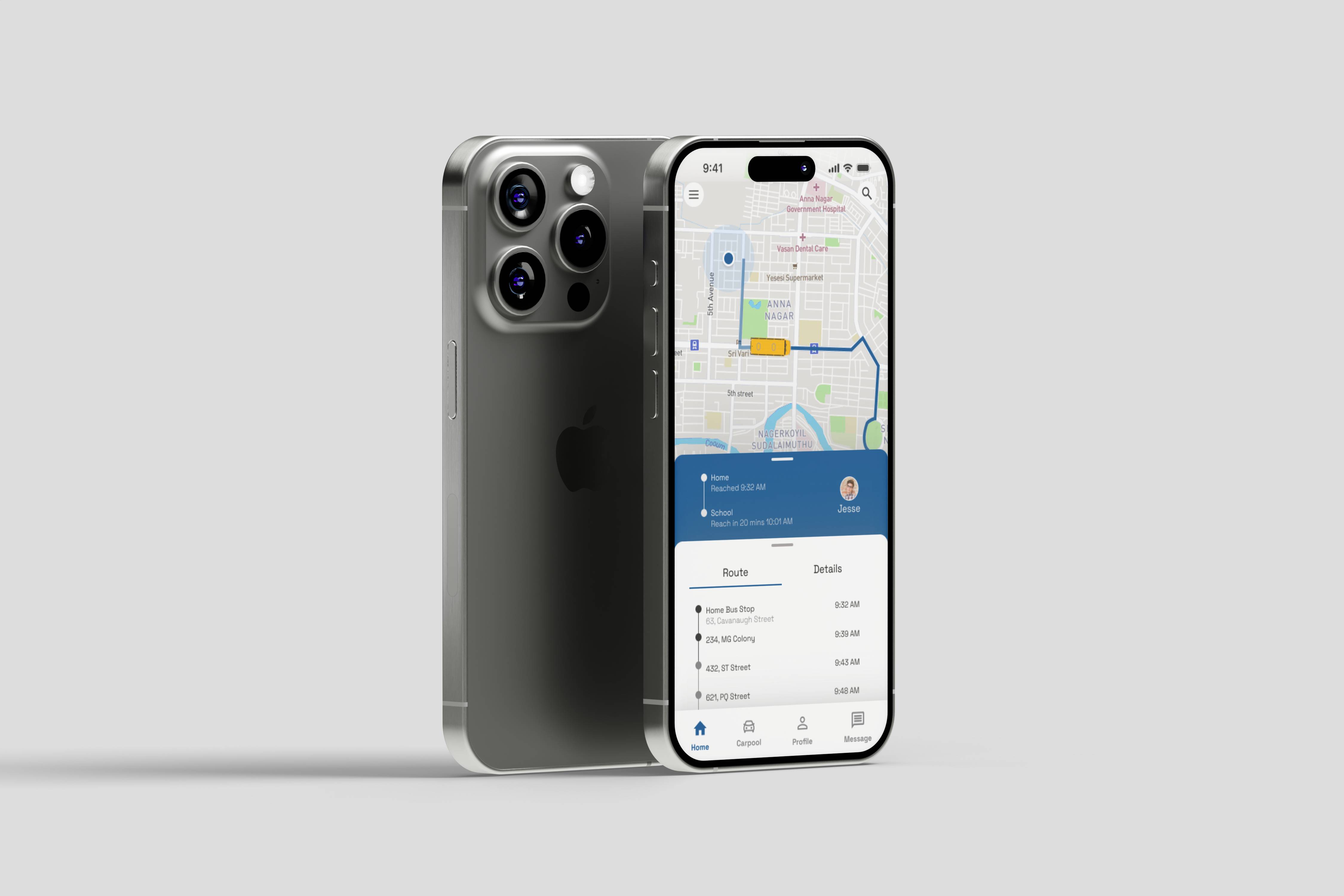
Real-time Bus Tracking
Parents and students can track the school bus in real time.
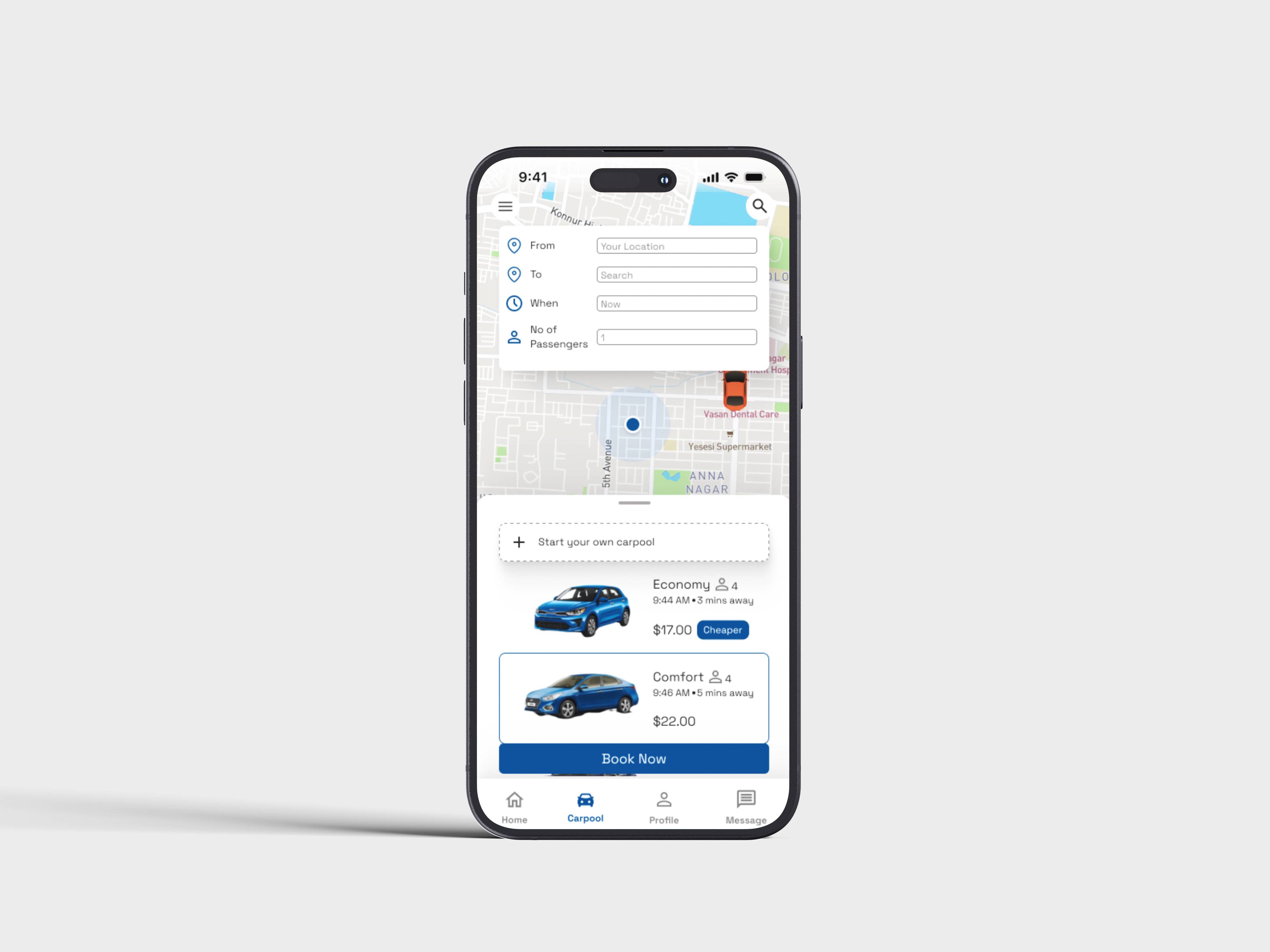
Smart Carpooling
Easy carpool booking and scheduling with trusted families.
Instant Alerts
Notifications for delays, route changes, and pickup confirmations.
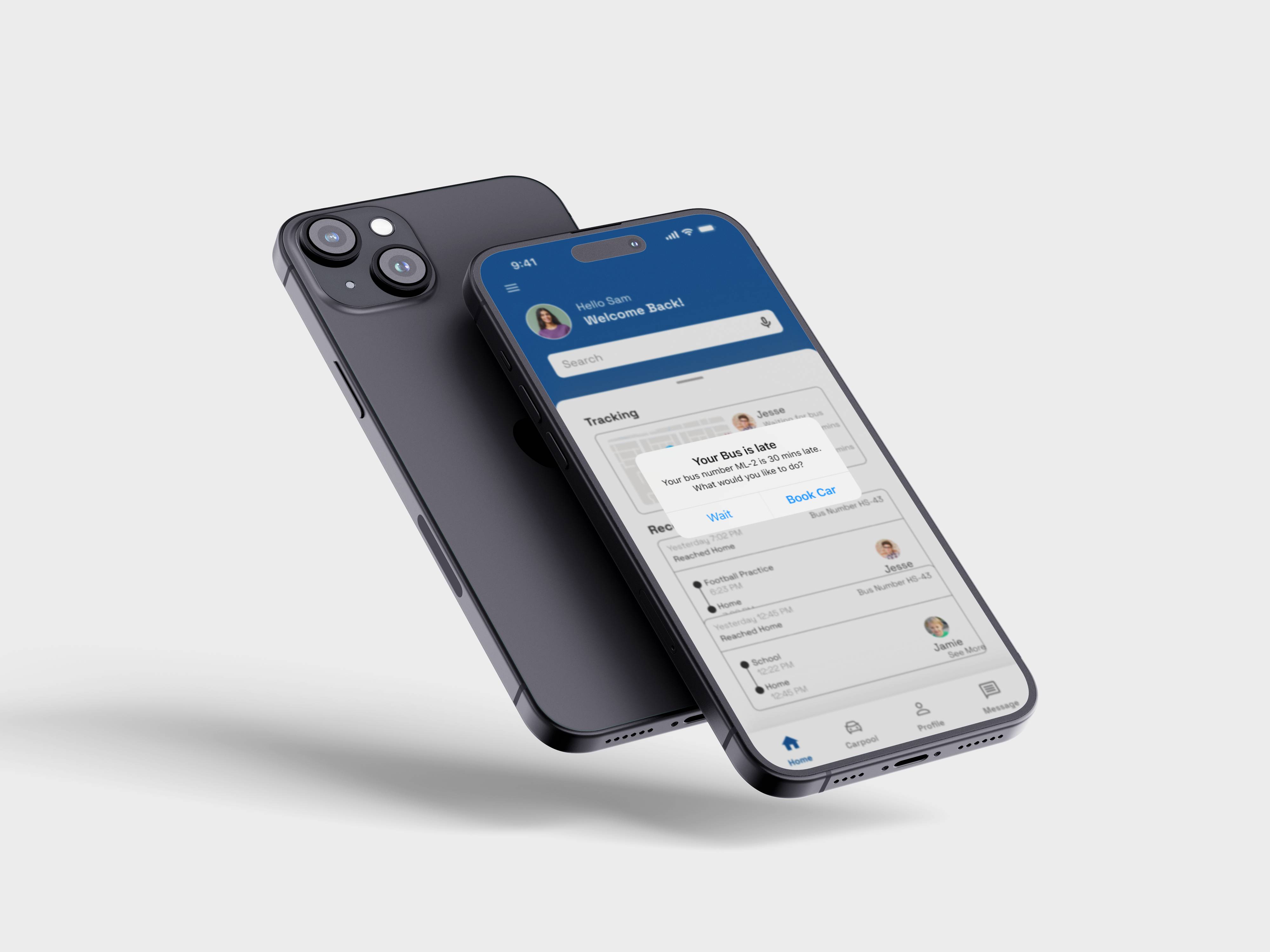
The resolution still stays forthcoming. Take a ride with us as well revolutonize tracking school transportation.
Stepping into the user’s shoes
As a Senior UX designer I was to design a mobile application that could be used by parents, teachers and students. My goal was clear—understand the pain points, design an intuitive solution.
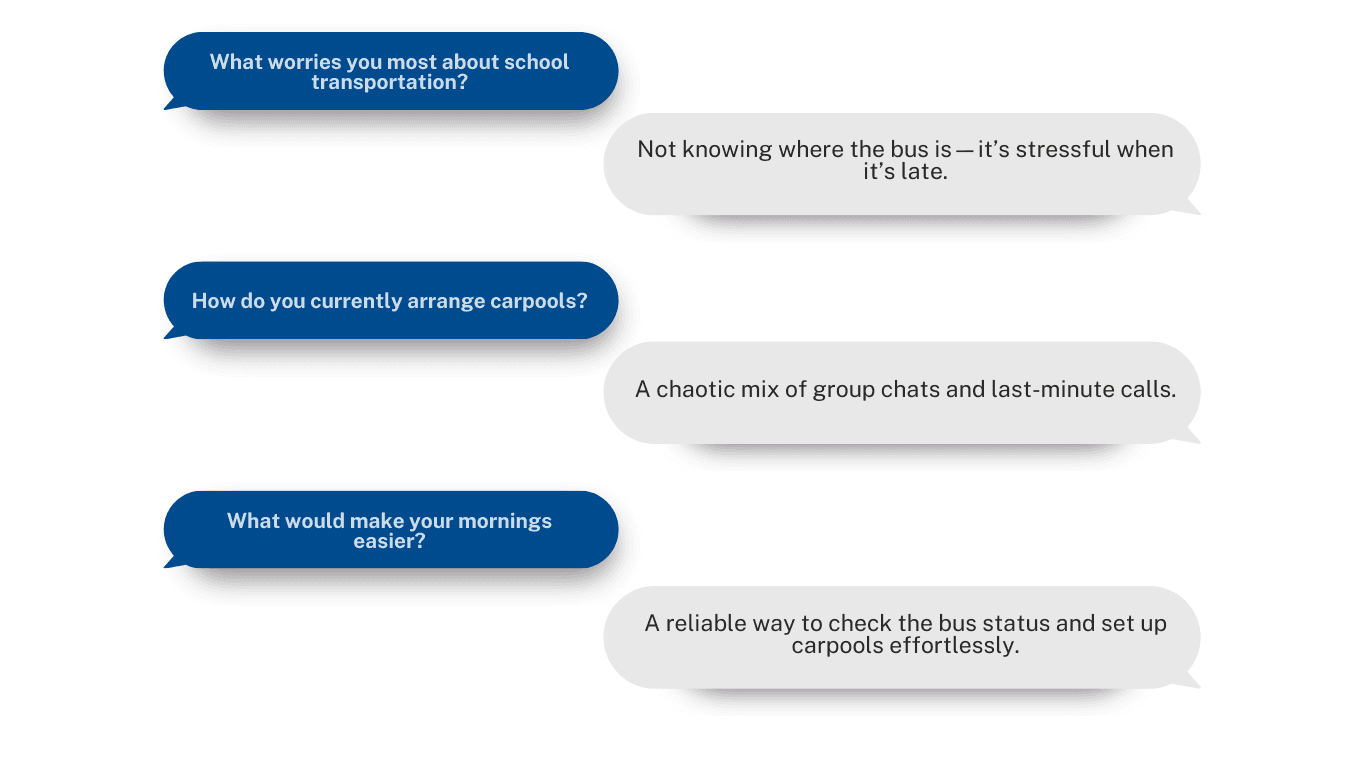
Their insights shaped our design approach.
Understanding Our Competitors
We analyzed both direct and indirect competitors to understand the market landscape and identify gaps in existing solutions.
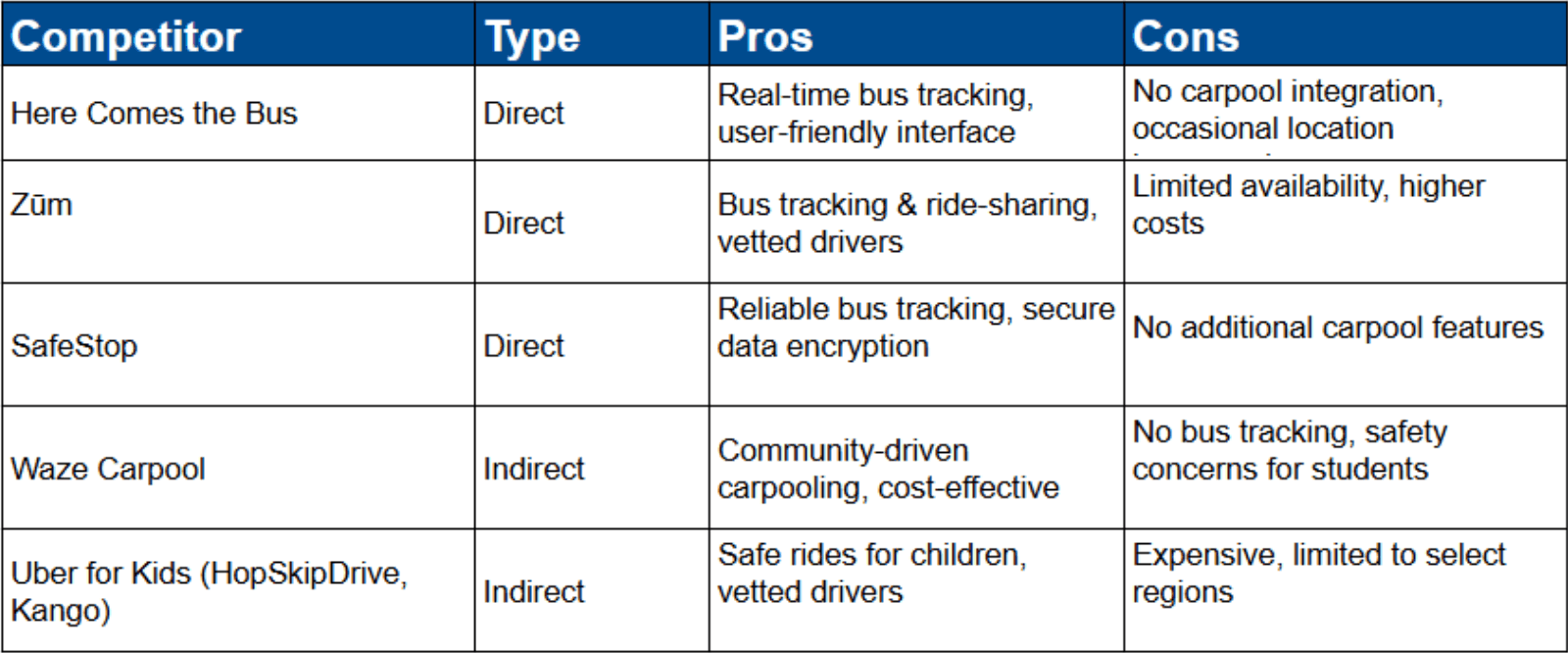
Key insights included:
Existing apps focus either on bus tracking or carpooling, but not both.
Parents value reliable real-time tracking over extra features.
Safety and verified users are major concerns for carpooling solutions.
Our app bridges the gap by offering an integrated platform for both school bus tracking and carpool coordination, ensuring safety, convenience, and trust.
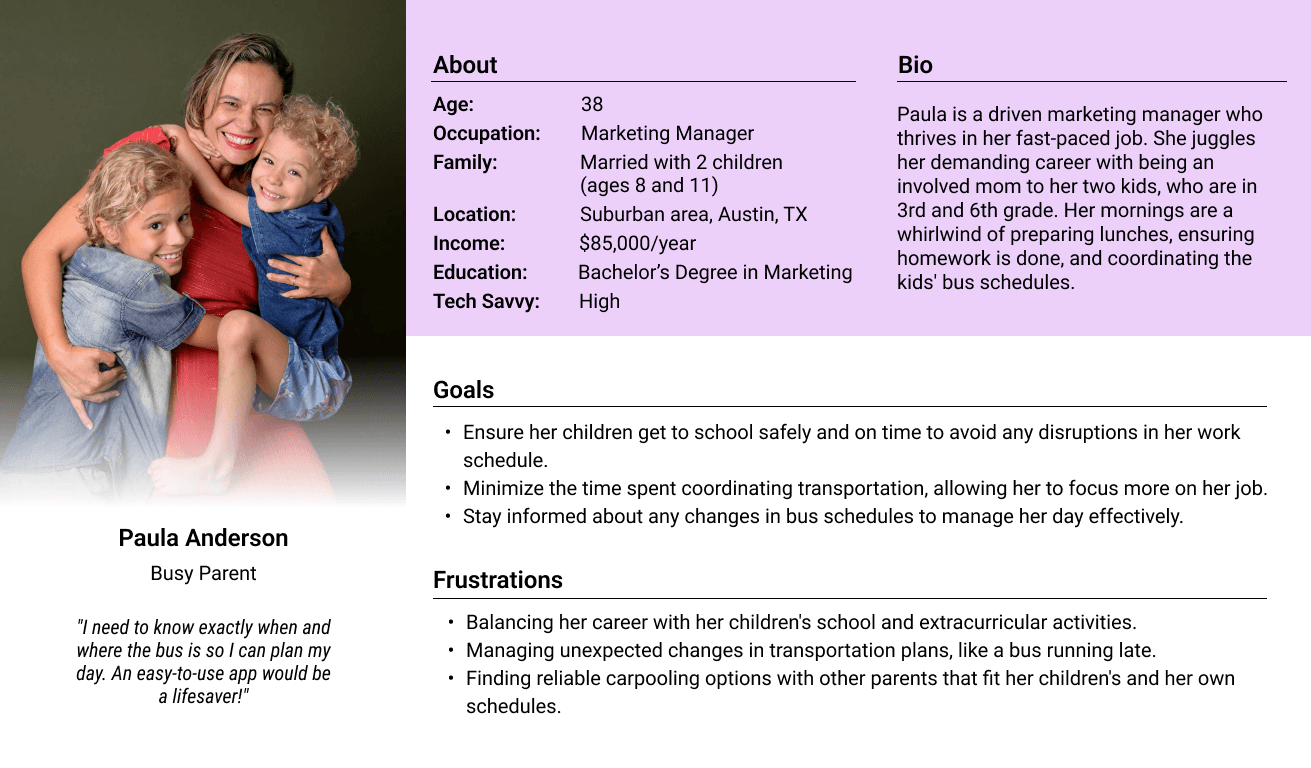
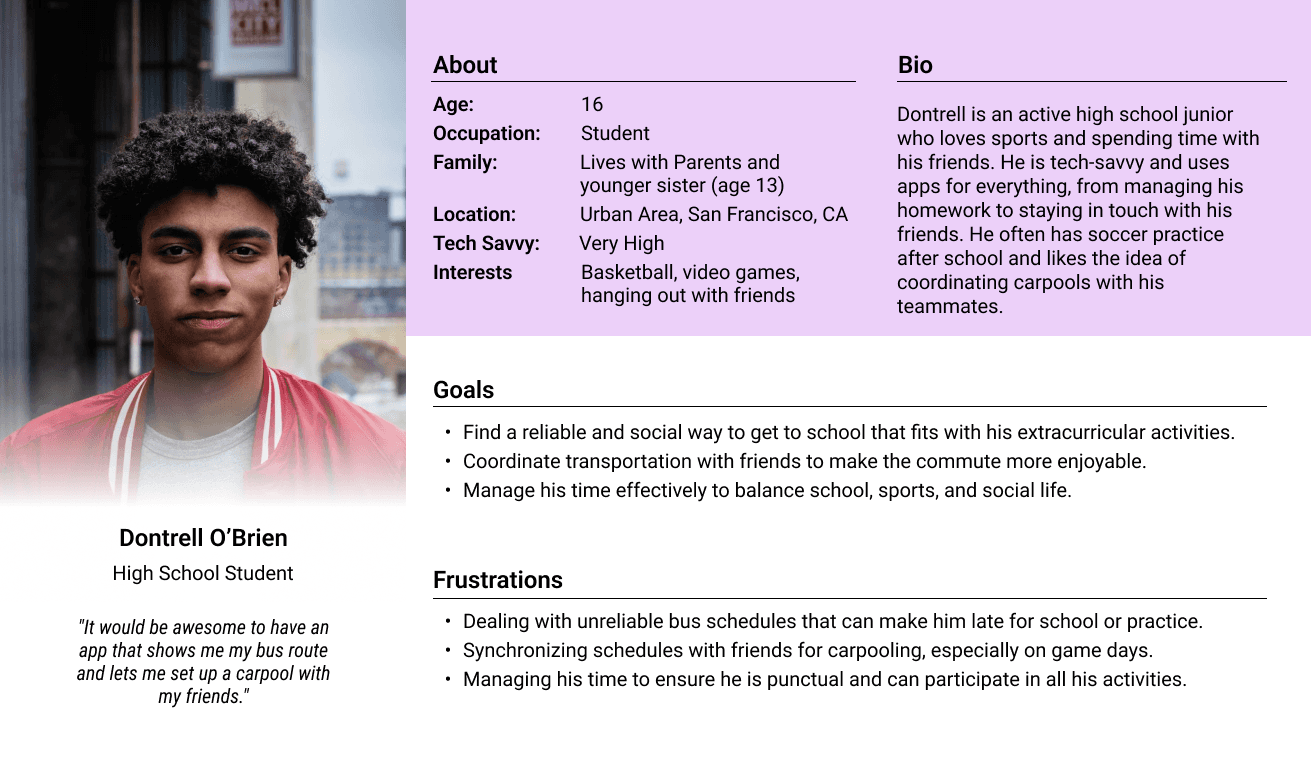
Through extensive research, interviews, and observations, we crafted personas that reflected real users' challenges, needs, and goals. By mapping their thoughts, emotions, and pain points, we gained deeper insights into their workflow struggles and frustrations.
We conducted a card sorting exercise with parents and students to define intuitive navigation.
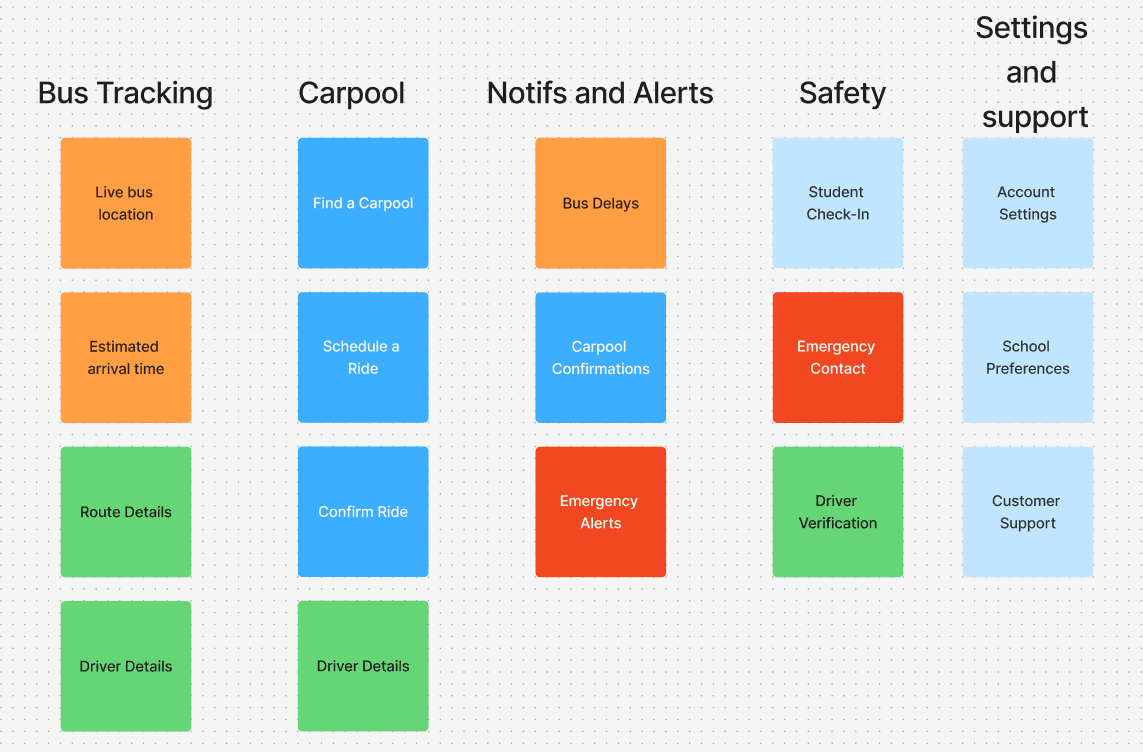
Key insights included:
Users wanted bus tracking and carpooling as separate sections.
Quick access to emergency contacts and notifications was a priority.
Simple, clear labeling was preferred over technical jargon.
These insights guided our information architecture, ensuring a seamless and logical experience for our users.
Next, I set out to define the information architecture which would form the backbone of the app.
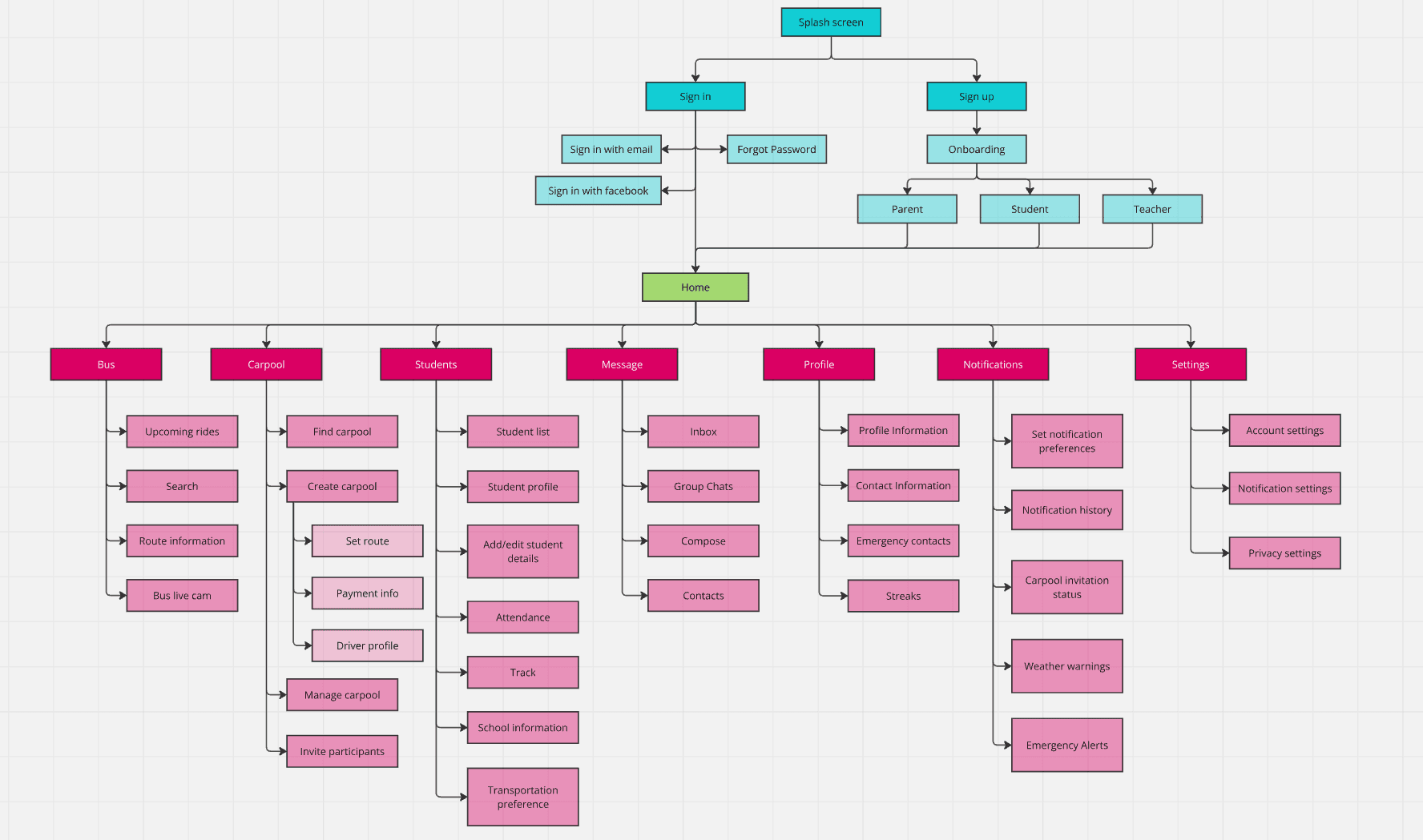
Sketching Out a Solution
We started with wireframes—basic blueprints that laid out the app’s structure.
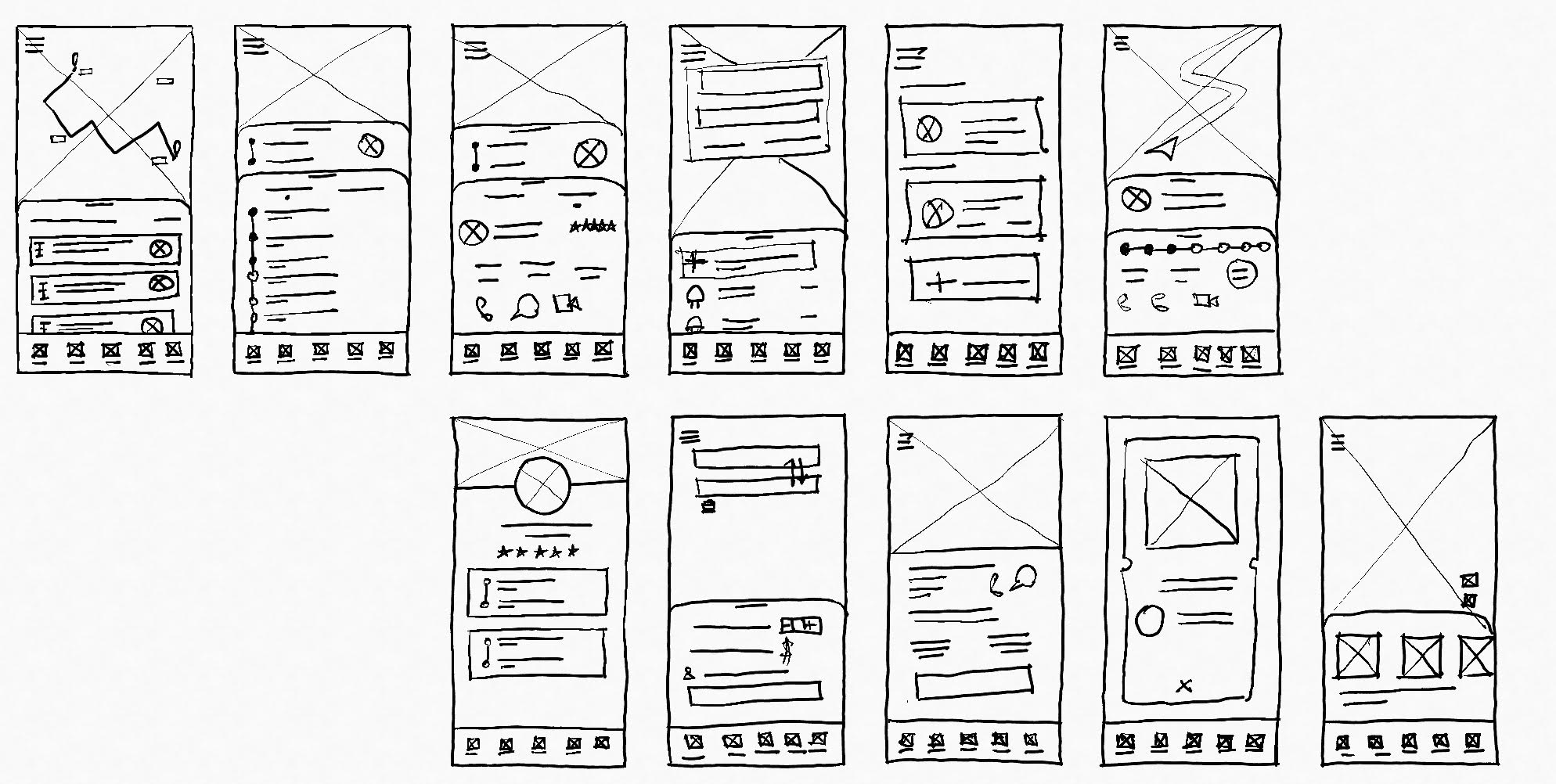
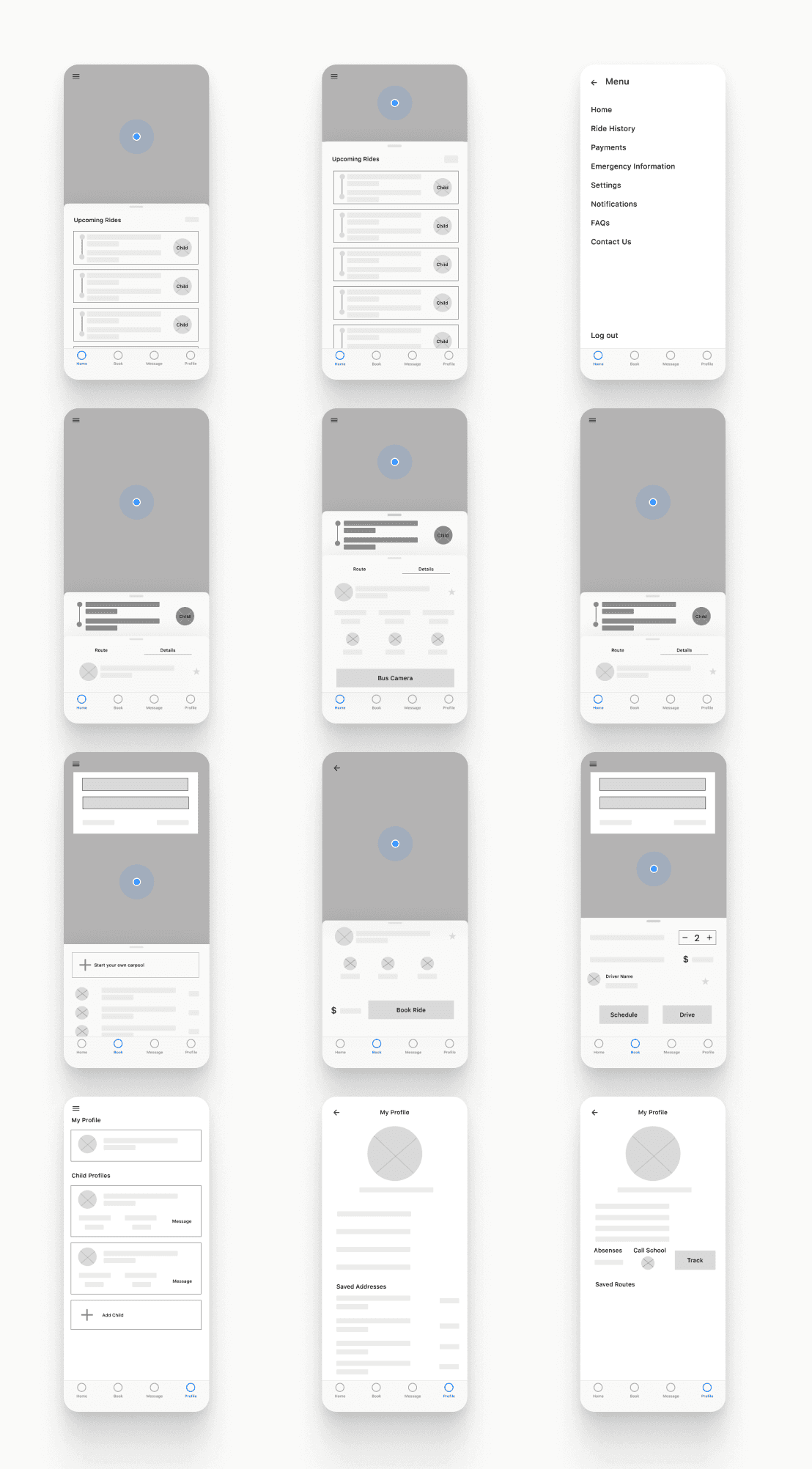
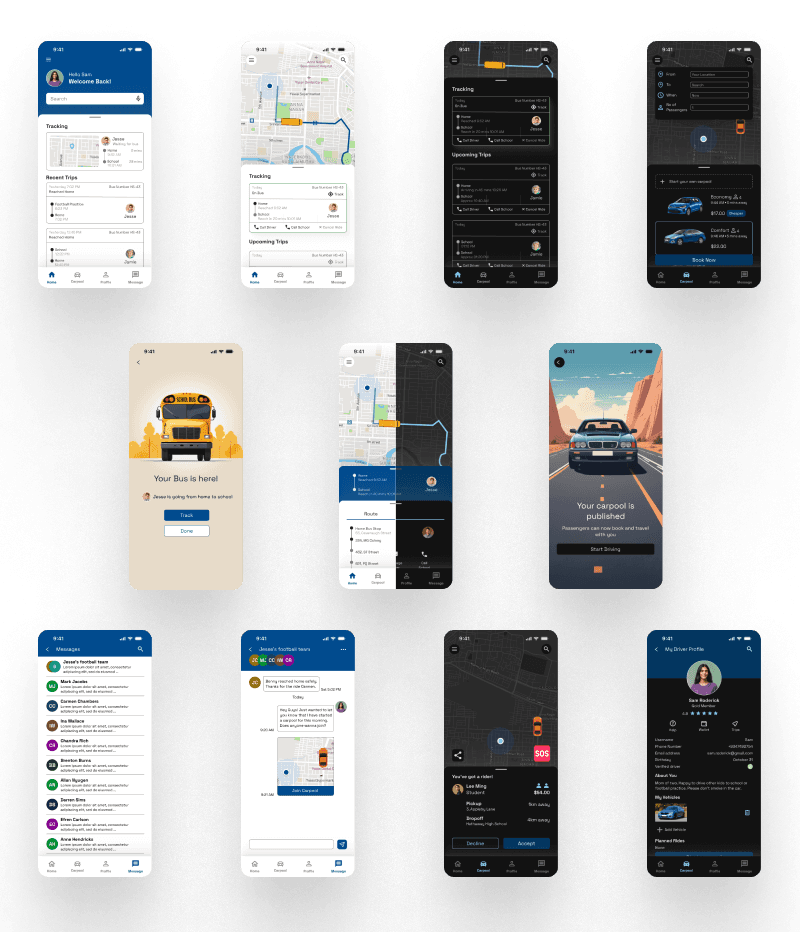
After a round of usability testing, during which we found several key insights, we proceeded to design the HiFi Prototypes
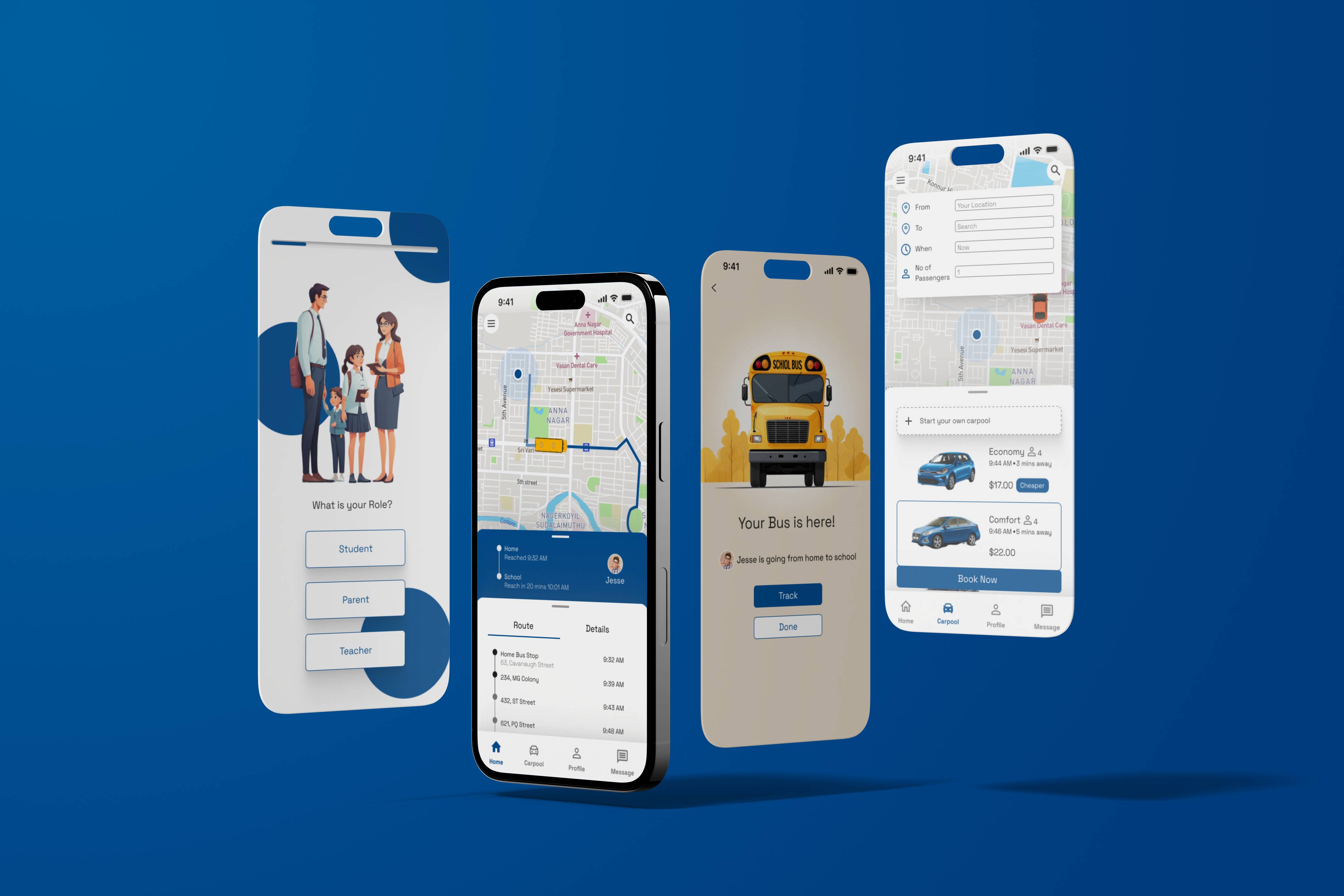
Onboarding and the Main Bus Tracking Flow
Booking a Carpool
Starting Your Own Carpool
Through three iterations, we refined the design, making sure it was intuitive yet powerful. The students were quite excited to participate in this exercise as they could say an app come to life
Designing For Dark Mode
We made sure that the application would function in both light mode and dark mode
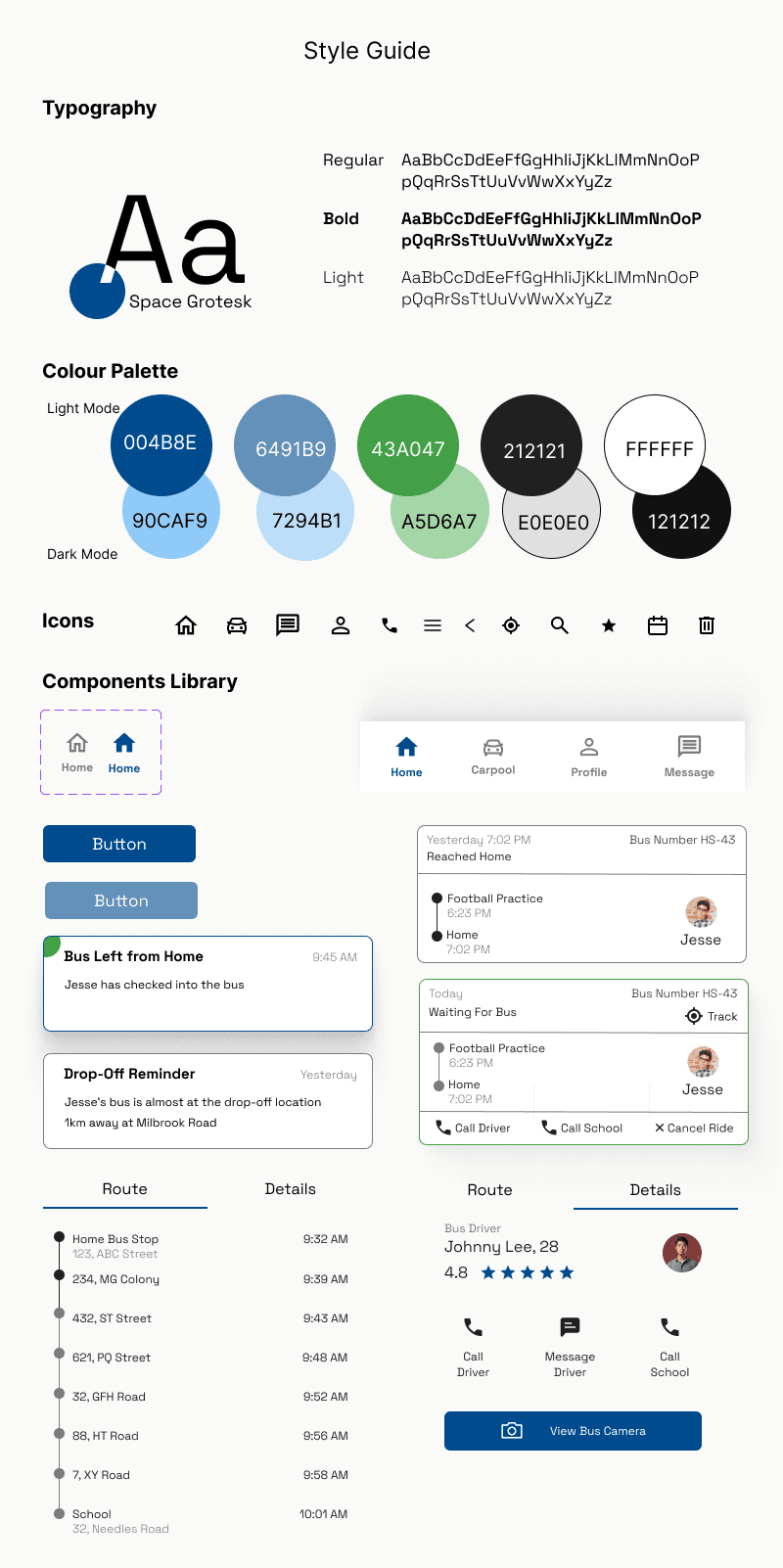
Establishing a Consistent Design System
It was essential to ensure consistency across our application and a design system helped greatly with that.
Testing and Refining
We conducted remote usability testing with both parents and students. This helped us refine our design greatly
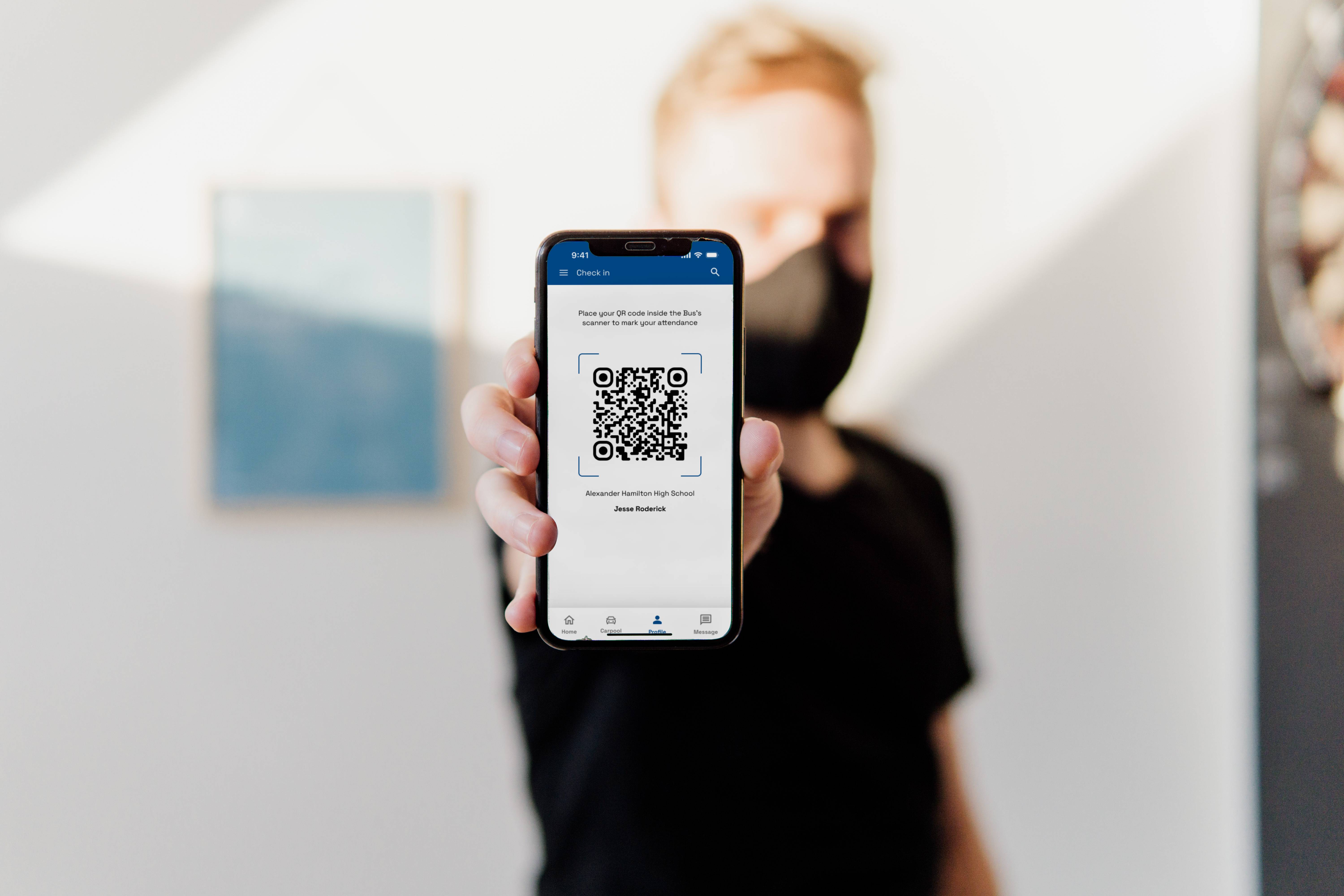
Problem: Parents found it hard to confirm if their child had safely boarded the bus.
Solution: We added a Check-In Feature—students scan a QR code while boarding, sending parents a real-time confirmation.
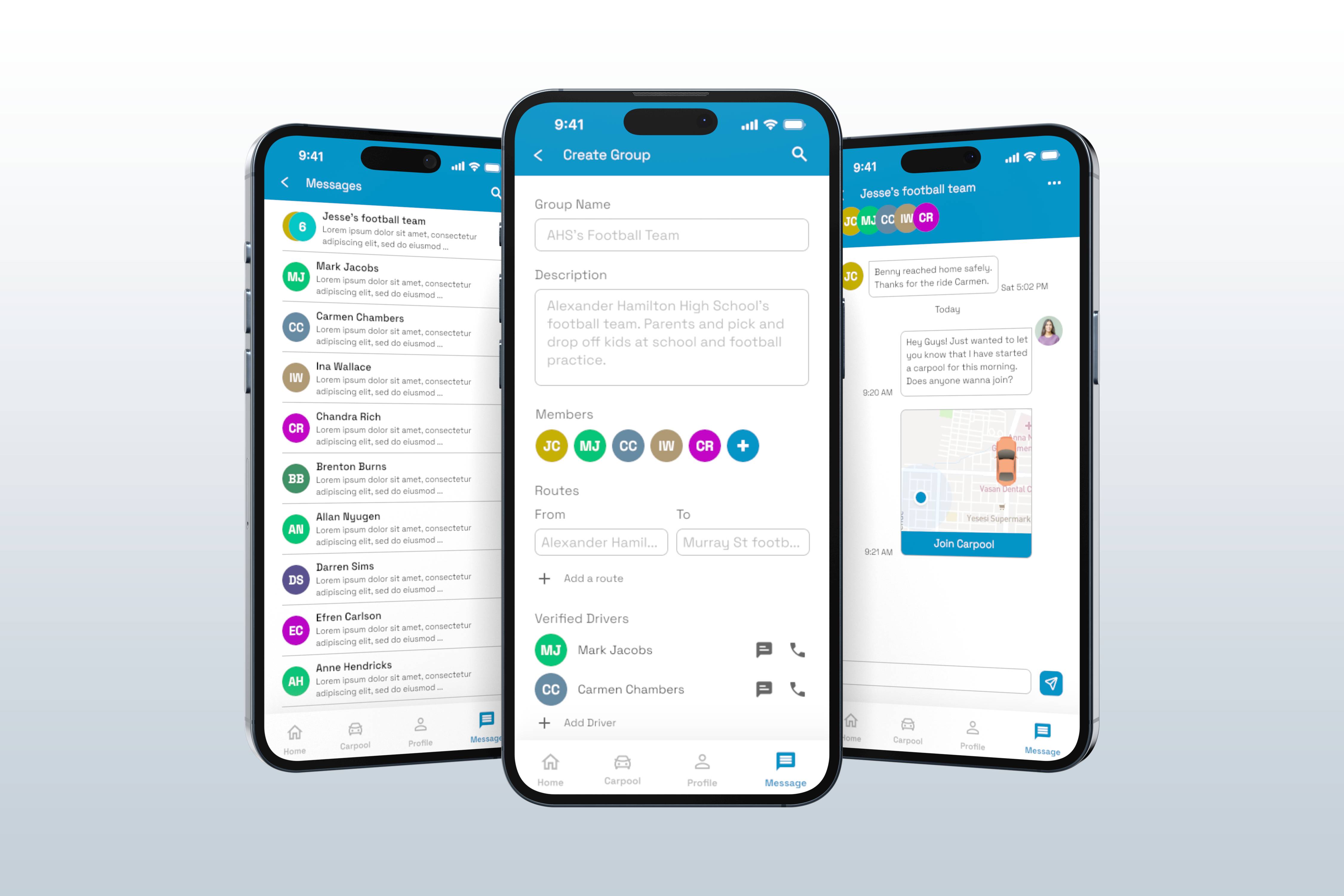
Problem: Parents wanted to be sure which drivers their kids were riding with. They wanted to have an easy way to co-ordinate carpools with parents they know.
Solution: We made it so that carpooling groups can be created. Students can join carpools from messages in these groups. Parents who are driving a carpool can also publish their carpools in their groups. If a situation arose where they had to book outside the group, the drivers are all verified, ensuring safety.
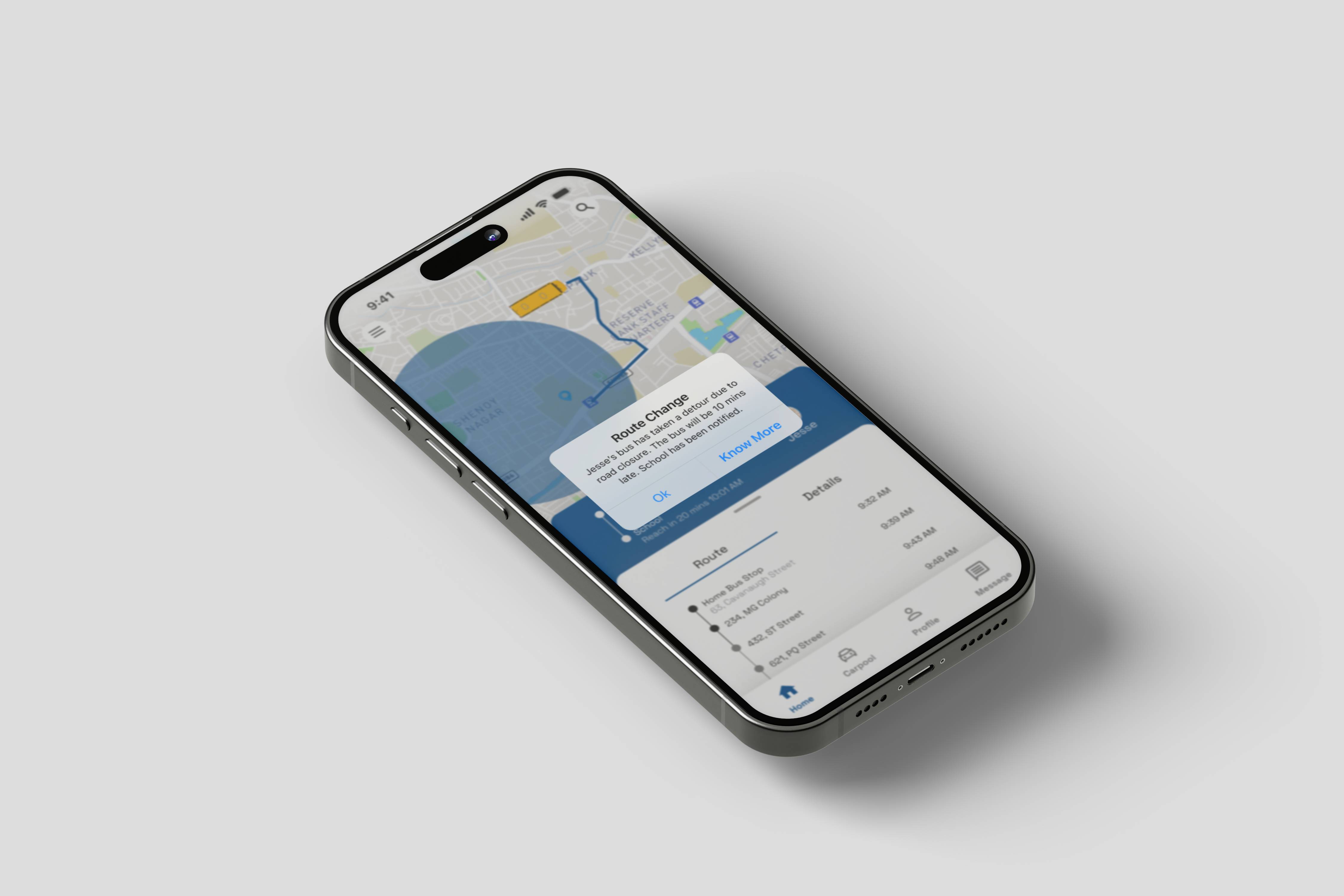
Problem: Parents sometimes find that the bus is delayed but don't know why. They wanted to see whether the bus had taken a different route than was originally planned
Solution: We added a geo-fencing feature that immediately let the parents know if the bus had diverted from the predetermined route. Any variables like weather or traffic is also immediately alerted to the parents.
Retrospective: Lessons Learned
Every project comes with its challenges, and this one was no exception. Some key lessons and takeaways:
Balancing Simplicity and Functionality
While we aimed for an intuitive design, we had to ensure that it still met all user needs without feeling overwhelming.
Building Trust with Parents
Safety concerns meant we had to prioritize transparency and verification at every step, from carpool driver vetting to bus tracking accuracy.
Iterate, Test, Improve
Early assumptions were challenged through usability testing, leading to features like clearer notifications and an easier carpool setup.
Looking back, the journey was a mix of discovery, learning, and continuous improvement. By listening to real users and refining based on their feedback, we built an app that not only solves a daily pain point but also fosters a sense of trust and community among families.
MORE PROJECTS